y’all didn’t even add a tutorial of how to do this so imma put one right here
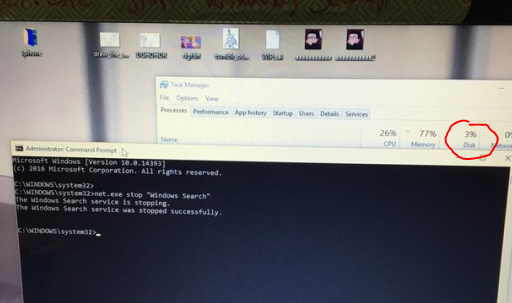
1. type in cmd.exe into your windows search and right click on Command Promt search result and select “Run as Administator”. 2. Type/Copypase in
net.exe stop “Windows Search” and make sure Windows Search is in quotations. It should then respond saying “The Windows Search service is stopping” and then tell you it’s stopped.
This is only a temp fix though, if you want it switched off permanently then do THIS:
1. Press the Windows key + R at the same time and type in services.msc.
2. Scroll until you find Windows Search and double click it to enter its Properties window.
3. Change the Startup type to Disabled. Apply this change and you can exit out.
VOILA, NO MORE TAKEN UP DISK SPACE
Reblog to save a life
HOLY SHIT IT WORKS
My computer is brand fucking new and I couldn’t figure out WTF its deal was! Thank you!
Dude I was wondering what was causing the 96% usage of my disk space on my old PC! That shit is probably what ruined my CPU!



 💜🎵GlowLite🎵💜