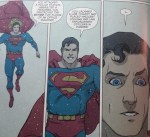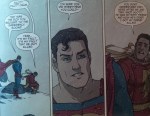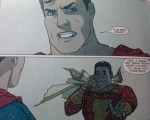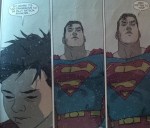
Superman’s sheer anger over Billy Batson’s situation is a sight to behold. Batman and Robin get away with it because he knows it’s the world’s best internship and that Bruce is willing to put out all the stops to protect him. But Billy? He doesn’t have anyone looking out for him. And that pisses off Superman more than anything.
Seriously, Clark’s face here
He is ready to kick the ass of whoever put this boy in this situation SO HARD
Next page he really lets the Wizard Shazam have it.
Shit, son. I might have to buy this book for those last two panels alone.
When Superman is written well he is an amazing goddamned character.
these few pages are some of my favourite in comic book history. So good. For anyone wondering what the next few pages look like, here you go:
This is a bigger deal than some of you might think, because Superman is one of the heroes in the DC Universe who keeps his secret identity pretty damn secret, because as probably the most powerful and influential person on earth, a lot of people do not wish him well – and would jump at the chance to hold people dear to him as leverage.
Yet, he trusts this poor, scared little kid. To comfort him, and entrust him with his biggest secret – just as Billy did for him.
Superman is just really important, ok?
this for people to truly understand superman
I will never get tired of reblogging this. This is the Superman who means something to *me*.
hey guys, i got something important for all the artists here that especially use Photoshop CC and wacom tablets
so the last windows update broke “Windows Ink” for tablets in photoshop -> you drag the canvas instead of drawing a line but i found a very usefull Forum where somone explained how to fix it here is the link to that
but i am just gonna copy paste what you have to do here down below:
1. Use notepad to create a text file and type in :
UseSystemStylus 0
2. Save the file as PSUserConfig.txt in the following location C: > Users > Username > AppData > Roaming > Adobe > Adobe Photoshop CC 2018 > Adobe Photoshop CC 2018 Settings
3. Go to the Wacom tablet properties and for Photoshop under Mapping uncheck “Use Windows Ink”